|
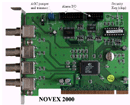
The NOVEX2000 System can be delivered as rackmount or desktop server PC.
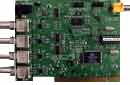
However, for those dealers and installers that would rather build their own DVR (based on our NOVEX2000 DVR kits - pci cards and software) we recommend the following:
|
|
|
 |
|
 |
|
- Use INTEL motherboards for the PC, with original INTEL CPU and original INTEL chipset only because
all our development and tests are based on such. Integrators have used other CPU's including AMD, motherboards from Asus and MSI, other chipsets and have found them to be
compatible with the NOVEX200 as well, however we strongly recommend that you custom build with INTEL original quality parts.
Make sure that all drivers and BIOS have been updated and upgraded to ensure full compatibility with other components.
- Update and install latest BIOS from the INTEL website. Update and install latest drivers for the video card from the manufacturer's website.
- Install 1GB RAM minimum; we recommend 4GB-8GB RAM to be the norm - in general the more RAM the better; make sure the RAM speed matches that of the pci bus.
- Monitor 1600x1200 (NTSC) or 1024x768 (PAL) resolution.
- For the remote monitoring and recording, choose High-speed/broadband Internet connection (DSL, cable - 256Kbps minimum; recommended 3-10Mbps for both upload and download). If you intend to use IP network cameras or IP video servers with the NOVEX2000 ensure at least 1.5Mbps connection for fast frame rates. The NOVEX2000 works with dial-up and phone connections, but we do not recommend that type of communication environment.
- Windows2000, XP Professional or newer recommended.
- Latest Microsoft/Windows Service Packs and Patches should be installed prior to the NOVEX2000 DSR software installation.
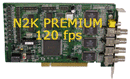
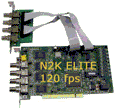
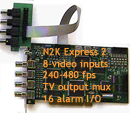
- The N2K Elite and N2K EXPRESS2 need one pci slot per 8 cameras i.e. the 16 camera ELITE or EXPRESS2 solutions only need 2 pci slots.
- For Small-Office/Home-Office applications consider the NOVEX2000 Lite, PRO or PLUS. For the mid-sized to large corporation applications consider the N2K Elite or N2K PREMIUM; for more demanding applications consider the N2K EXPRESS and EXPRESS2.
- Cameras: we recommend wired CCTV cameras from Sony, Canon or Panasonic. Look for cameras with at least 480TV lines resolution, preferably 600TV or more lines; with auto-iris, varifocal lens, 24VAC.
For pan-tilt-zoom cameras, choose reliable, High-Speed-Domes with day/night mode and sensitivity lower than 0.1 lux, preferably 0.01 lux and resolution of 600TV or more lines. Outdoor cameras should have proper heater and cooler.
The NOVEX2000 can work with IP network cameras as well - you can mix analog and IP cameras. The IP cameras can be anywhere on the network or Internet - we recommend Sony, Vivotek, Axis, D-Link or Elmo IP network cameras.
For NOVEX2000 v.2.3. and lower:
- Use Intel Desktop m/boards NOT Server m/boards.
- Disable Hyper-Threading and Disable DirectDraw features
- Use Video card with at least 256MB RAM (recommended ATI and MATROX brands)
- Use brand-name, fast and reliable hard disks (SCSI), good quality sound card and microphones.
For NOVEX2000 v.3.0.:
- Enable Hyper-Threading
- Dual-Core is fine and provides REAL-TIME full motion performance even with 16 cameras on the N2K Express and N2K Express2
, but Quad Core is faster and therefore better. Make sure that the heat-sink and fan are properly mounted on the CPU, otherwise the frame
rate may be lower due to CPU not cooling properly.
- Use Intel Desktop m/boards NOT Server m/boards with or without RAID controller. The Intel® Desktop Boards Classic Series and the
NOVEX2000 kits are designed to deliver exactly what you expect - stability, reliability, affordability and expandability. Enjoy!
|
|
 |
|
 |
|
|
|
You can place your e-mail order here
Fax order: Canada and International : (+1)-416-352-0084 if busy then,
USA: (fax/voice mail) (+1)-617-687-4658 or (+1)-707-313-7976.
UK: (fax/voice mail) (44)-705-345-6380
We can accept payments in cash and/or local currency through our offices and affiliates in many countries in
Europe, Asia, Latin America, Australia and Africa.
Mailing address:
NOVEX (CANADA )LTD.
704 Grandview Way
Toronto, Ontario
M2N 6V5 , CANADA
|
|